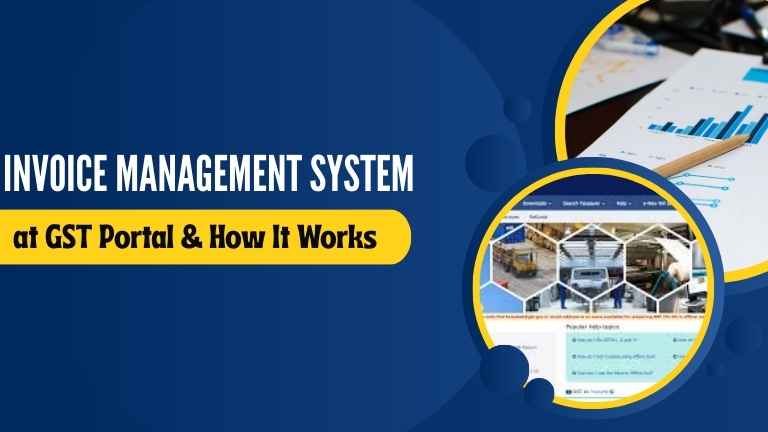
New GST IMS functionality allows taxpayers to control inward supplies, take actions on records before finalizing GSTR-2B, and avail correct ITC.
The Invoice Management System (IMS) on the GST portal is a major digital upgrade introduced by the GST Network (GSTN) to enhance transparency, streamline reconciliation, and improve compliance for taxpayers. This system gives businesses better control over inward supplies, enabling them to validate, accept, reject, or keep invoices and credit notes “Pending” before filing GSTR-2B.
The introduction of the IMS credit note facility in GST is a game-changer for companies dealing with multiple vendors or large invoice volumes. It bridges the communication gap between buyers and suppliers, ensuring that only verified transactions are claimed for Input Tax Credit (ITC).
Understanding the Invoice Management System (IMS)
The Invoice Management System (IMS) is a new module on the GST portal designed to provide a centralized view of all invoices uploaded by suppliers in GSTR-1 and GSTR-1A. It allows recipients to take timely actions before these records auto-populate in GSTR-2B.
In essence, the GST IMS system acts as a pre-validation tool, helping businesses avoid mismatches and disputes in ITC claims. It helps reconcile invoices in real-time, track supplier behavior, and manage credit note adjustments effectively.
Earlier, taxpayers had no direct mechanism to communicate invoice mismatches with suppliers. The new IMS dashboard in GST changes that by offering an interactive platform to review and respond to invoices instantly.
Key Highlights of the New Changes in the Invoice Management System
The latest GST IMS functionality focuses on ease of compliance, user-friendly tracking, and ITC accuracy. Below are the major technical improvements introduced by GSTN:
- A redesigned, user-friendly IMS dashboard in GST with filters to track invoice and credit note status.
- Bulk acceptance or rejection options for multiple invoices or notes.
- Downloadable reconciliation reports for internal audit support.
- Real-time notifications for actions taken by counterparties.
- Streamlined navigation for suppliers and recipients within the GST IMS system.
These features make it easier for businesses to take control of invoice-level actions before filing returns, ensuring that ITC claims remain accurate and dispute-free.
How the Credit Notes “Pending” Option Works
The highlight of this update is the Credit Notes Pending Option & ITC Reversal in GSTN-IMS. Businesses can now mark a credit note as “Pending” instead of accepting or rejecting it immediately.
This flexibility allows taxpayers to investigate disputes or mismatches without impacting their ITC for that period. The “Pending” status ensures that credit notes remain on hold for one tax period, giving both parties time to reconcile.
Earlier, premature ITC reversals led to confusion and compliance errors. The new IMS credit note facility GST reduces that burden by giving users the ability to manage their ITC reversal timeline better.
Business Impact of the IMS Credit Note Facility
The Credit Notes “Pending” Option & ITC Reversal in GSTN-IMS has significant business implications. It helps companies avoid unnecessary reversals and delays in reconciliation.
Businesses often face challenges while matching invoices across multiple vendors. With this feature, they can:
- Resolve supplier disputes before ITC reversal.
- Prevent revenue loss due to early reversal.
- Maintain a clean and transparent audit trail.
- Improve collaboration between finance and compliance teams.
This update is especially useful for the manufacturing, retail, and service sectors, where credit notes and returns are frequent. It boosts confidence in ITC claims, leading to smoother tax filing and reduced audit risk.
How to Use IMS in the GST Portal
To use the Invoice Management System (IMS) on the GST portal, follow these steps:
- Log in to your GST portal account.
- Navigate to the ‘Services’ section → ‘Returns’ → ‘Invoice Management System’.
- Open the IMS dashboard in GST, where you can view all supplier-uploaded invoices.
- Review each invoice or credit note.
- Take action – Accept, Reject, or Keep Pending.
- Save your actions to ensure proper reflection in GSTR-2B.
The GST IMS dashboard provides various filters for searching by supplier GSTIN, document type, or date. The system ensures that all actions are tracked and recorded in real time.
Is IMS Mandatory?
Yes, IMS GST is being gradually made mandatory for all taxpayers. According to the latest IMS advisory GST, the system is being rolled out in phases. For large taxpayers, it became active in October 2025, and it will soon be mandatory for all registered entities.
This transition aims to standardise invoice validation and ITC reconciliation across industries. Hence, businesses are advised to familiarise themselves with the GST IMS system and train their teams accordingly.
Technical Enhancements and User Benefits
The new changes in the Invoice Management System not only simplify compliance but also increase operational efficiency. Businesses can now process hundreds of records quickly, minimising manual work and avoiding errors.
Key benefits include:
- Faster reconciliation: Bulk processing reduces time spent on invoice verification.
- Improved data visibility: The IMS dashboard in GST offers real-time invoice and credit note tracking.
- Accurate ITC claims: Reduced risk of wrong entries or disputes.
- Audit-ready documentation: Reports can be downloaded directly from the portal.
IMS Credit Note Rejected — What to Do
If your IMS credit note is rejected, it means your recipient has marked it as invalid. In such cases:
- Contact the buyer or supplier to clarify the discrepancy.
- Review your uploaded document for errors in GSTIN, value, or tax rate.
- Re-upload the corrected credit note in the next filing cycle.
Always monitor your IMS dashboard in GST regularly to ensure no pending actions are left unattended.
Training and Support by GSTN
The GSTN provides comprehensive training and documentation to help users adapt to the new IMS system. These include:
- Webinars and tutorials explaining how to use IMS in the GST portal.
- Step-by-step guides on invoice reconciliation.
- Updated IMS advisory GST documentation for all registered taxpayers.
- Dedicated helpdesk support for technical queries.
Businesses are encouraged to train internal teams and update compliance procedures as per the revised workflow.
Business Compliance Simplified
With the GST IMS system, taxpayers can manage their invoices more efficiently, reduce disputes, and ensure that only genuine ITC is claimed. It also encourages better communication between buyers and suppliers, resulting in smoother reconciliation and fewer audit risks.
This update aligns with India’s vision of digital governance and transparent tax systems, empowering businesses to manage compliance confidently through an automated, intuitive interface.
Frequently Asked Questions (FAQs)
1. What is IMS in GST?
The Invoice Management System (IMS) in GST is a tool for managing invoices and credit notes uploaded by suppliers before they appear in GSTR-2B. It allows taxpayers to accept, reject, or keep documents pending to ensure correct ITC claims.
2. What is IMS dashboard in GST?
The IMS dashboard in GST provides a centralized view of all invoices uploaded by suppliers, helping taxpayers take appropriate actions on each document and monitor ITC status in real time.
3. Where is IMS dashboard in GST portal?
You can find it by logging in to the GST portal → ‘Services’ → ‘Returns’ → ‘Invoice Management System’.
4. How to go to IMS dashboard in GST portal?
After logging in, navigate to the ‘Returns’ tab under the ‘Services’ menu and select ‘Invoice Management System’.
5. How to check IMS in GST portal?
Under the IMS module, you can check invoice status, actions taken, and supplier updates directly on the dashboard.
6. How to accept IMS in GST portal?
Select the invoice or note you want to approve, click on the “Accept” button, and confirm the action.
7. How to use IMS in GST portal?
Use the IMS dashboard to review supplier invoices, mark them as Accepted, Rejected, or Pending before filing GSTR-2B.
8. How to check IMS on GST portal?
You can track real-time invoice movement and supplier responses directly from the GST IMS dashboard.
9. What is IMS in GST portal?
It’s a compliance tool to reconcile supplier data before GST return filing, ensuring accurate ITC and reduced disputes.
10. How to open IMS in GST portal?
Login to gst.gov.in → Navigate to Services → Returns → Invoice Management System → Click “Open IMS Dashboard.”
11. How to download IMS from GST portal?
You can download reconciliation reports in Excel or CSV format directly from the dashboard for record keeping.
12. How to file IMS in GST?
Actions taken in IMS automatically reflect in your GSTR-2B; no separate filing is required.
13. Where is IMS in GST portal?
It’s available under the Returns section of the GST portal main menu.
14. Is IMS GST mandatory?
Yes, IMS GST is being made mandatory in a phased manner starting from October 2025 for large taxpayers.
15. What to do if IMS credit note is rejected?
Contact the counterparty, verify details, and re-upload the corrected note in the next period to ensure compliance.
Conclusion
The Invoice Management System (IMS) represents a significant leap toward automation and transparency in GST compliance. With tools like the Credit Notes “Pending” Option & ITC Reversal in GSTN-IMS, businesses now have the flexibility to manage their transactions more confidently.
As the GST IMS system becomes mandatory, it’s essential for taxpayers to familiarize themselves with the IMS dashboard in GST and leverage its features for smooth reconciliation, accurate ITC claims, and error-free filing.
Read Also:
New Credit note facility in IMS at GST portal
How to login to the GST portal
How to apply GST number online
How to apply GST registration for Individuals
How to get refund of amount shown in GST ledger
How to get GST number for Meesho seller
How to close current account by surrender GST
How to cancel GST registration online